LIVE TTSSPEAKING
●
NOW READING
Welcome to the LIVE
“Your next comment can power the show.”
 StreamSyncPro
Use this referral code when creating your account to receive any active friend sign-up bonus.
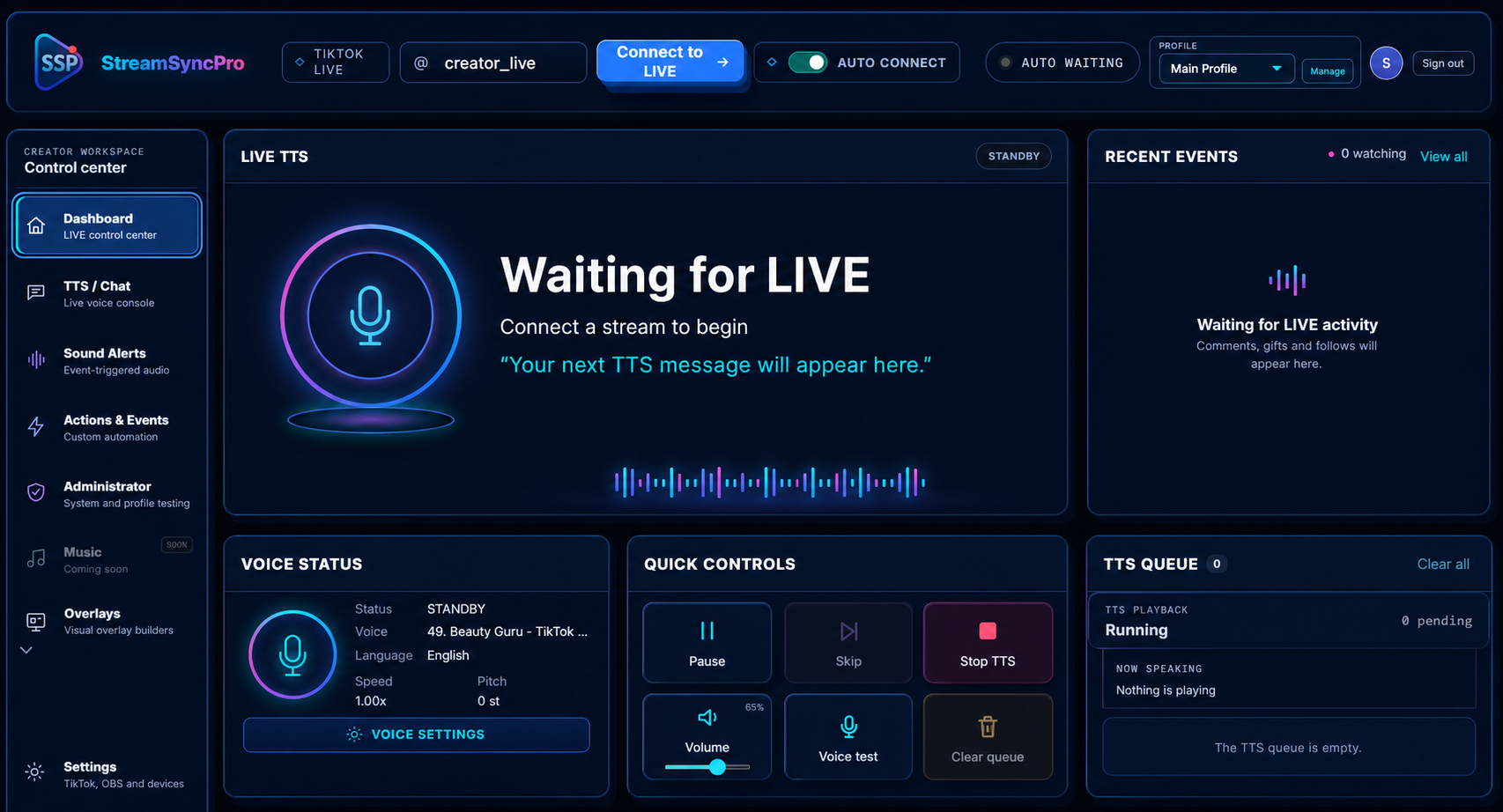
Turn comments, gifts, likes, follows, emotes and even your heart rate into instant TTS, sound alerts, OBS actions and animated overlays—all from one creator workspace.
 StreamSyncPro
“Your next comment can power the show.”
Build reactions once, save them to a profile and let Stream Sync Pro handle the busy work while you focus on your audience.
Give trusted viewers a personal voice while you stay in control. Stream Sync Pro reads comments and selected LIVE events through TikTok TTS or ElevenLabs, translates speech when required and manages every message through one protected queue.
!myttsvoice 7 to select a numbered voice from the language-filtered directory.!lockmyttsvoice to reserve an available voice for that LIVE.!mutetts username minutes to silence abuse, while pause, skip, stop and start commands are recorded in the audit log.!mutetts noisyviewer 30
Muted for 30 minutes
Build audio reactions for specific gifts, coin totals, likes, shares, follows, treasure boxes, level-ups and emotes.
Combine multiple TikTok triggers with a sequence of actions, then control their order, schedule, cooldown and duration.
Show live BPM through Pulsoid or a compatible Bluetooth sensor and turn threshold crossings into part of the entertainment.
Connect OBS WebSocket and coordinate scenes, sources and browser overlays with the rest of your LIVE automation.
Every signed-in creator gets isolated settings and can maintain multiple profiles for different channels, shows or audiences.
Publish customisable browser-source overlays that advertise available reactions or animate when a LIVE event fires.
Your profiles and settings follow your account, whether you use Stream Sync Pro in a browser or install the desktop app.
Open the web app or desktop app and load a saved creator profile.
Enter the LIVE username. Auto-connect can wait and connect when the creator goes live.
Enable TTS, alerts, actions and overlay browser sources for the stream.
Use one Stream Sync Pro account across the web app and Windows desktop app.
One credit is used after a successful TikTok LIVE connection. Buy only what you need; unused credits remain on your account.
Connect without spending credits while your monthly plan is active. Any existing credits stay on your account.
Subscriptions renew monthly until cancelled. Payment details are handled by PayPal; Stream Sync Pro does not store full card details.
Open Stream Sync Pro in a modern browser—no installation required. Ideal for quick access and managing your creator profiles from anywhere.
Install the dedicated Windows experience for background audio reliability, local device access and a focused creator workspace.
Start in the browser today, or install Stream Sync Pro on Windows.